
Download SchoolHack – AI‑Powered Essay Writing Assistant for Students
Overview
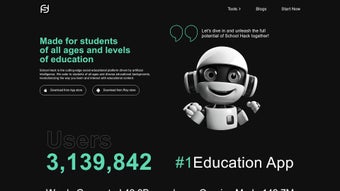
SchoolHack is a cutting‑edge educational web app that harnesses the power of OpenAI’s GPT‑3 to help students craft high‑quality essays quickly and securely. Designed by the team at SchoolHack, the platform targets learners from secondary school through university, offering a suite of AI‑driven tools that simplify research, writing, and citation while safeguarding originality. Whether you need a full‑length paper, a quick paraphrase, or instant answers to a burst of curiosity, SchoolHack delivers results in three straightforward steps and presents the final document in a variety of editable formats such as DOCX, PDF, and plain text. The built‑in plagiarism detector and paraphrase API work together to keep your work authentic, while the AI DocuChat chatbot offers on‑demand tutoring for any subject. By integrating smart media handling, an AI‑powered note recorder, and a “Ask Anything” feature, SchoolHack becomes more than a writing helper—it transforms into a comprehensive study companion that speeds up assignment completion, enhances research efficiency, and boosts confidence in academic writing.
Core Features & Value
Feature List
- GPT‑3 powered essay generator – produce structured drafts on any topic in seconds.
- AI DocuChat chatbot – instant answers to subject‑specific questions, grammar tips, and citation advice.
- Paraphrase API – rewrite sentences to avoid plagiarism while preserving meaning.
- Built‑in plagiarism detection – scan drafts against a massive database of academic sources.
- Multi‑format export – download essays as DOCX, PDF, TXT, or markdown for easy editing.
- Smart Media integration – embed images, charts, and videos directly into your document.
- AI Note Recorder – convert spoken lecture snippets into searchable text notes.
- Ask Anything – a free‑form query box that lets you explore concepts beyond the essay scope.
- Cross‑level support – tools are calibrated for high‑school, college, and postgraduate requirements.
- Secure cloud storage – all drafts are encrypted and saved to your personal workspace.
Pros
- Lightning‑fast essay drafts reduce research time.
- Integrated plagiarism checker ensures originality.
- Intuitive UI works on any modern browser – no software download required.
- Multi‑format export supports seamless collaboration with peers and instructors.
- AI note recorder captures lecture insights that can be turned into essay outlines.
Cons
- Advanced features (e.g., AI DocuChat) require a paid subscription after a limited free trial.
- Heavy reliance on internet connectivity; offline usage is not supported.
- Complex essays may still need human editing for nuanced arguments.
The overall value proposition of SchoolHack lies in its ability to condense the entire essay workflow—from topic brainstorming to final formatting—into a single, secure platform. By leveraging GPT‑3, the app produces coherent, academically‑styled drafts that respect citation norms, while the paraphrase and plagiarism tools protect students from unintentional copying. The added chatbot and note recorder turn the app into a 24/7 virtual tutor, helping learners stay on track even during tight deadlines. For institutions looking to foster independent research skills without compromising academic integrity, SchoolHack offers a balanced blend of automation and oversight.
Getting Started – Installation, Usage, Compatibility & FAQs
Installation & First‑Time Setup
SchoolHack is a web‑based solution, so there is no traditional installation process. To begin, visit the official website at schoolhack.com and click the “Sign Up” button. Registration requires a valid email address and a password; optional two‑factor authentication can be enabled for added security. Once your account is confirmed via email, you’ll be directed to the dashboard where the main modules—Essay Generator, Paraphrase, Plagiarism Checker, and AI DocuChat—are displayed as tabs.
For users who prefer a desktop shortcut, most browsers allow you to “Add to Home screen” (Chrome, Edge) or “Create Shortcut” (Firefox). This creates a pseudo‑app icon that opens SchoolHack in a dedicated window, mimicking a native application while still relying on an internet connection.
Step‑by‑Step Usage
- Select “Essay Generator”. Enter your topic, desired word count, and academic level (high‑school, undergraduate, postgraduate). Click “Generate”.
- Review the draft. The AI provides an introduction, body paragraphs with citations, and a conclusion. Use the built‑in editor to tweak tone or add personal insights.
- Run the plagiarism checker. Press “Scan” to ensure the content is original. Any flagged passages can be instantly paraphrased with one click.
- Export. Choose your preferred format (DOCX, PDF, TXT) and download or save directly to your cloud storage.
Compatibility (itemprop="operatingSystem")
Because SchoolHack runs entirely in the browser, it is compatible with any operating system that supports modern web standards. This includes:
- Windows 10, 11 (any edition)
- macOS Catalina and later
- Linux distributions with a recent version of Chrome, Firefox, or Edge
- Android 8.0+ (via Chrome or Firefox mobile)
- iOS 13+ (Safari or Chrome)
No additional plugins or Java applets are required, and the platform automatically adapts its layout for tablets and smartphones, ensuring a consistent experience across devices.
Frequently Asked Questions (FAQ)
Is SchoolHack free to use?
SchoolHack offers a free tier that includes limited essay generations per month and basic plagiarism checking. Premium plans unlock unlimited drafts, advanced AI DocuChat, and priority support.
How does the plagiarism detector work?
The detector compares your text against a database of academic journals, websites, and previously submitted student papers. It highlights matching segments and provides similarity percentages, allowing you to address any issues before submission.
Can I use SchoolHack offline?
Currently, an active internet connection is required because all AI processing occurs on SchoolHack’s secure servers. Offline functionality is not supported.
Is my data safe?
Yes. All user data is encrypted both in transit (TLS 1.3) and at rest. SchoolHack complies with GDPR and FERPA standards, ensuring that personal and academic information remains confidential.
What formats can I export my essay to?
Exports are available in DOCX, PDF, TXT, and markdown. You can also copy the content directly to the clipboard for pasting into other platforms.
By following the simple onboarding steps and leveraging the cross‑platform compatibility, students can start producing polished essays within minutes. The FAQ section addresses the most common concerns, ensuring that new users feel confident about security, cost, and functionality before diving deep into the tool.
Conclusion & Call to Action
SchoolHack stands out as a robust, AI‑driven companion for anyone seeking to master essay writing in the digital age. Its seamless integration of GPT‑3 generation, plagiarism detection, and real‑time tutoring equips students with a reliable safety net that reduces writer’s block, safeguards academic integrity, and accelerates the research‑to‑submission pipeline. While a paid subscription unlocks the full suite of premium features, the free tier already offers enough capability to transform the way learners approach assignments.
If you’re looking for a secure, fast, and feature‑rich tool to boost your academic performance, download SchoolHack today and experience a new standard of essay assistance. Click the button below to create your free account, start generating essays instantly, and explore the premium upgrade when you’re ready to scale your productivity.
Pros: Rapid drafting, solid plagiarism guard, cross‑device compatibility.
Cons: Requires internet, premium cost for unlimited use.



.png)



